Description
The Context
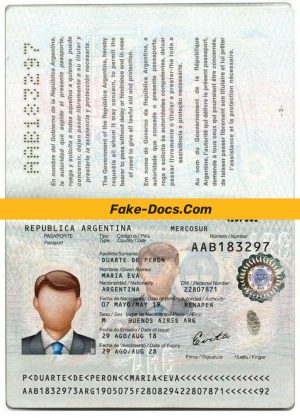
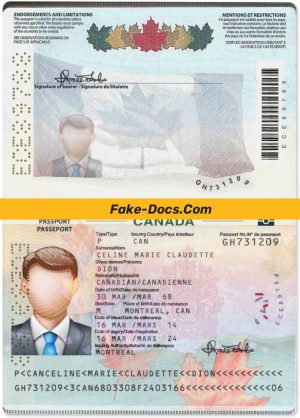
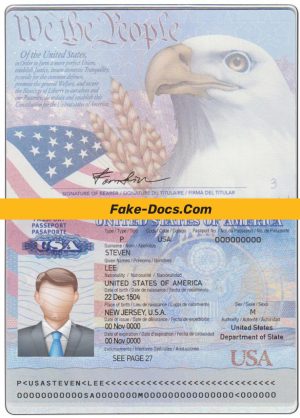
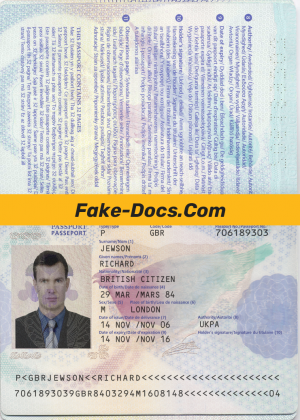
Creating a visual asset that replicates the appearance of official documents such as passports requires meticulous attention to typography, layout, and texture. The Malta Passport is no exception; its distinct design demands precision in font selection, color scheme, and elements placement. Achieving an accurate look is challenging due to the specific security features and the layering of graphic elements that prevent a digital or artificial appearance.
For design and prop professionals, having access to a template that reflects these details is critical. Without it, attempts can appear flat, digitally rendered, or inconsistent with the original document’s appearance, thereby reducing usability for detailed visual work.
Solving the Design Challenge
This Malta Passport PSD Template addresses the common issues of flatness and artificiality by providing a layout that is accurately structured and layered. Each element from the background patterns to the font spacing is precisely engineered to reflect the original document’s complexity. The template uses layered Photoshop files that allow for controlled editing without compromising the overall visual integrity.
To understand more about maintaining document visual quality, Read our technical guide on Document Quality, which provides essential insights into visual authenticity and best practices in design modification.
Technical Visual Specifications
The template is constructed to exact proportions matching a 1:1 scale for accurate on-screen and print size representation. Typography is closely matched to the original using the correct typefaces and spacing, ensuring that any textual information looks authentic and well-aligned. Texture overlays replicate the subtle patterns and gradients found on actual passports to provide a tactile impression visually.
Additionally, the layered PSD structure separates background, text, and photo elements, allowing for fine-tuned customization. Such design precision avoids the pitfalls of generic templates that often lack shadow depth and text contrast.
For users interested in related professional-grade assets, the Malta Civil Aviation Directorate Aircraft Registration Certificate Template offers a complementary high-detail document design suitable for extended project use.
Customization & Editing Workflow
This Photoshop template is optimized for easy editing. Users can open the PSD file in Adobe Photoshop and utilize Smart Objects to replace the existing photograph without distortion. Text layers are editable, allowing modification of name, address, identification numbers, dates, and other personal details with care to preserve alignment and font consistency.
The template requires only basic Photoshop skills. Organized layers reduce the risk of accidental design disruption during editing. For an extended document editing toolkit, consider the Invoice Template for Businesses in Word and PDF formats, which expands your editable document resources.
Production & Printing Advice
For physical production, using a high-quality matte paper with a weight of at least 120gsm is recommended to best replicate passport paper texture. Printing at 300 dpi or higher ensures sharp edges and clear text without pixelation. To reduce photo glare during scans or photography, use diffuse lighting and avoid direct flash.
To complete your document creation workflow, the Malta Cloudways Ltd Invoice Template in Word and PDF formats serves as a professional-quality complement to your printable document collection.
Visual Field Breakdown
| Field | Description | Editable |
|---|---|---|
| Passport Photo | High-resolution face photo area with Smart Object for easy replacement | Yes |
| Full Name | Text layer matching official signature typography | Yes |
| Address | Accurate font style reflecting original layout | Yes |
| ID Number | Positioned according to Malta passport specifications | Yes |
| Date of Birth | Typical date format consistent with document style | Yes |
| Expiration Date | Formatted with precise spacing and font | Yes |
| Height and Weight | Correct placement and font sizing | Yes |
Achieving the Perfect On-Camera Look
When displaying the completed passport for photography or videography, lighting and camera settings play an important role. Use soft, even lighting to highlight texture and avoid harsh reflections. Adjust the camera focus for sharpness without overexposing the photo area or text sections. Maintaining a neutral background and proper scales will enhance the document’s realism in visual media.
Attention to these details ensures the final appearance meets professional standards for visual fidelity.


Reviews
There are no reviews yet.